Why I Switched From Claude to Codex: My New Bootstrapper Dev Workflow (April 2026)
Why I replaced my Claude-based workflow with Codex: one agent for planning and building, AGENTS.md guardrails, automated dev migrations, and Playwright browser testing.
For the past year, my coding stack has been Claude — Claude Code for building, claude.ai for planning. I'm building Clockless, a legal billing SaaS, in public. It was my stack and it worked really well. Until it didn't.
A couple of weeks ago I hit a wall I couldn't get past. I was building a custom MCP server and Opus just could not solve it. Not one attempt. Not five. Same context, same docs, same explanation. It would propose a fix, I'd run it, it would break. I'd paste the error back. It would propose something almost identical. We'd go in circles.
I've been building with Claude long enough to know when something's off. This didn't feel like a hard problem. It felt like the model was stuck.
So I opened Codex, pasted in the same context, same problem. One shot. Done. It was running.
That was a wake-up call. So today I want to walk you through my brand-new dev workflow using Codex 5.4, a desktop app connected to my local environment, AGENTS.md rules, auto-commits, DB migrations, and automated browser testing.
This is what I'm rolling with as of April 2026.
Why This Shift Matters for Bootstrappers
For most of the last year, Anthropic's Opus models were the clear leader in coding. If you were serious about building with AI, you were using Claude Code. That was the truth.
But something has shifted. Opus 4.6 started picking up rumors — users complaining it felt dumbed down, hitting capacity limits, getting worse at things it used to nail. Then Opus 4.7 came out and had its own set of issues. Whether you believe the rumors or not, the perception of dominance started to crack.
Meanwhile, OpenAI quietly rolled out GPT 5.4 into Codex with native computer use, a million-token context window, and a real focus on agentic coding. And it's good. Right now, it's really good.
And then there's Mythos. You've probably heard the hype — rumored to be extremely powerful, but gatekept behind enterprise deals with the largest companies on the planet. If you're a solo founder bootstrapping SaaS, Mythos is not in your hands. It might as well not exist.
So the question for us as bootstrappers is: what do you actually use right now to build the best product you can with the resources you have?
That's what this post is about.
The MCP Server Moment
The thing that pushed me from Opus to Codex was a custom MCP server for Clockless. Nothing crazy. Real-world integration work.
Opus was my daily driver. I gave it the context. I explained the problem. I gave it the docs. It just kept missing.
I opened Codex. Pasted in the same context. Same problem. One shot. Done.
I'm not saying Codex is going to be better forever. I'm saying right now, for this class of problem, it is. And when the tool you pay for can't do the job and a different tool can, the bootstrapper move is obvious.
You switch.
I'm not loyal to a model. I'm loyal to shipping working code.
The Rule Every Bootstrapper Needs in the AI Era
Keep your eye on how well your model is performing. If it starts to underperform, switch.
The AI landscape is not stable. It's not 2015 where you pick AWS and that's your cloud for the next decade. Models get updates. Some of those updates are quiet downgrades. Some are genuine leaps forward. The pecking order changes every few months.
The lesson isn't Codex good, Claude bad. The lesson is don't tie your productivity to one vendor.
- Test alternatives quarterly at least
- Keep a small benchmark of real problems from your own codebase
- When one model starts failing on stuff it used to handle well, that's your signal to re-evaluate
If you're three months behind because your model got worse and you didn't notice, that's your business on the line. Speed is the whole game.
What Was Actually Wrong With My Old Setup
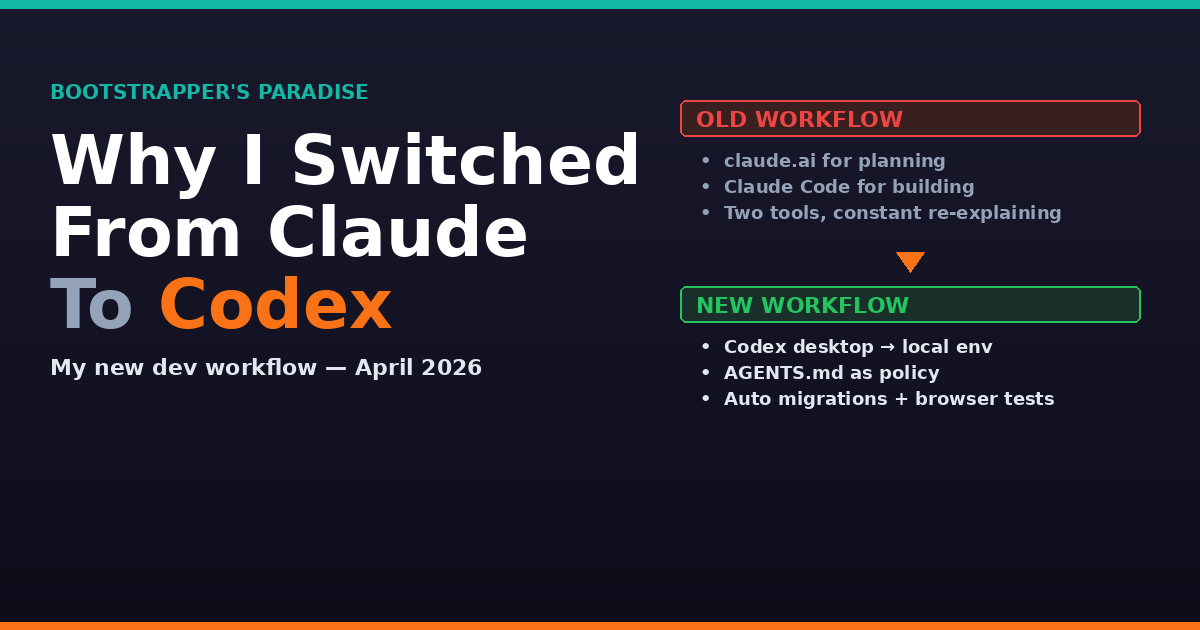
My old workflow: plan in claude.ai, have the conversation, work out the design. Then switch over to Claude Code and have it build.
The problem? The two sides weren't always in sync. Planning context in claude.ai was not automatically in Claude Code. So I'd end up re-explaining, copy/pasting, re-pasting requirements, doing a ton of double work. Lots of context switching. Lots of loss in translation.
If you've been building with AI for any real amount of time, you've lived this.
Now it's different. I use Codex to plan and to build. Because it's the same agent with the same memory of the project, they're in sync. I write requirements once. The plan and the build come from the same conversation thread. No re-explaining. No translation loss.
That alone has probably saved me 5 hours a week.
My Actual Setup
I'm using the Codex desktop app on my MacBook. The app is connected directly to my local dev environment — the actual project directory on my machine.
When I ask Codex to build something, it's working in my real code, running my real dev server against my real local database.
This matters. There's no upload step. No send the file to the cloud and get a patch back. The agent is working in the same space I would be working in if I were doing it by hand. It sees what I see. It runs what I would run.
I let Codex do the building. And I now let it commit the changes for me too. That saves time. I was doing that manually before, one commit at a time, and it added up. Now Codex commits with a clean message and I review afterward instead of babysitting each one.
But here's the line I don't cross: I still control pushing to the repo.
Codex commits locally. I push to remote. That push triggers my deployment to the dev environment. The chain: Codex builds → Codex commits → I push → dev deploys. From dev to prod, that's still manually gated. Always.
AGENTS.md: The Contract With Your Agent
How do I keep all this from going off the rails? AGENTS.md.
If you've used Claude Code, you know about CLAUDE.md. Same idea, different tool. It's a file in your project root where you tell the agent the rules of the road: what it can do, what it can't do, what conventions to follow, what tools to use, how to handle specific situations.
In my AGENTS.md for Clockless, I have rules like:
- Always run tests after a change
- Use these naming conventions
- Follow the existing patterns in the codebase — here they are
- No pushing to remote
- No running anything that hits production
- Database migrations only in dev
That file is your contract with the agent. It's persistent memory and it's a policy document at the same time. Every time Codex starts a task, it's reading those rules.
When I learn a new lesson — it broke something because I didn't tell it about this pattern — that lesson gets added to AGENTS.md. So it never happens again.
This is the difference between vibe coding and context engineering.
- Vibe coding: hope the model figures it out
- Context engineering: put the rules in writing
Database Migrations: Automated Where Safe, Manual Where It Matters
Here's a feature I wouldn't have handed an AI agent a year ago. Now Codex runs migrations for me automatically — but only in specific places. Local and dev. Never anywhere near production.
The flow:
- Codex makes a code change that needs a schema update
- It generates the migration
- It runs the migration against my local database
- We test. If the suite passes, great — the migration is committed with the code
- If tests fail, we fix the migration before anything gets pushed
When I push to remote, the migration runs against dev and I'm watching. If dev breaks, I roll it back and iterate. Only after dev has been stable and I've manually validated do I consider running that migration against prod.
Prod migrations are a human decision. Always.
This has been a huge time-saver. Migrations used to be a Friday-afternoon-avoid task. Now I'm generating and testing them mid-task. The guardrail is automated in dev, manual in prod. Non-negotiable.
Automated Browser Testing With Playwright MCP
This is the piece that's changed my workflow the most.
End-to-end testing in the browser was always the part of the job I put off. Clicking through every flow after every change. Checking the UI still works. Checking the login still logs in. Checking the form still submits. Slow. Boring. And exactly the kind of thing you skip when you're trying to ship fast — which is how you end up with regressions in prod.
So I wired the Playwright MCP server into the Clockless project. Codex can now drive a real browser automatically.
It runs end-to-end tests after it makes changes. It checks both:
- Functionality — does clicking submit actually save the record?
- Design — did the layout break on this page?
This is huge. I can let Codex ship a feature and know the main flow still works before I even look. I'm catching issues within seconds of them existing instead of finding them a week later when a customer emails me.
If you're not running automated browser testing as a bootstrapper in 2026, you're leaving quality and speed on the table.
The Complete Workflow
Here's my updated workflow from start to finish:
- Codex desktop app connected to my local dev environment
- AGENTS.md defining what it can and can't do
- I give it a task — it plans and builds in the same thread
- It runs DB migrations against my local database when needed
- It runs Playwright end-to-end tests in a real browser to validate functionality and design
- It commits the changes
- I review and push
- Push triggers dev deployment
- Once dev is validated, I manually push to prod
Same agent planning and building. Guardrails in writing. Automation where it's safe. Human gates where it matters.
This is what I'm rolling with as of April 2026. In six months it may be different — the model race isn't done. But right now, this is the Bootstrapper's dev stack that's letting me ship Clockless faster than I ever have.
The Takeaway
Keep an eye on your tools. Switch when they stop working. That's how you keep shipping.
If you want help figuring out what you should be building, I've got free tools to save you weeks of guessing:
- Problem Finder — tools.bootstrappersparadise.com/problem-finder
- SaaS Idea Validator — tools.bootstrappersparadise.com/validator
- Pricing Calculator — tools.bootstrappersparadise.com/pricing
And if you want to get results faster with direct coaching, check out the private coaching program at bootstrappersparadise.com.
Until next time — ship something.
Sean is building Clockless, a legal billing SaaS, in public at bootstrappersparadise.com. Join the free 5-day email course to learn the bootstrapper's approach to building SaaS with AI.
Ready to Build Your Own SaaS?
Learn how to go from idea to launch in my free 5-day email course — no coding or big budget required.
Start the Free Course